Remove a Token
Once the token is revoked, you can delete the token from the system. After you remove the token, you cannot use it to register new devices. The devices already using the token remain unaffected.
To remove the token,
-
From the token list, select the token to remove.
The token details display on the right pane.
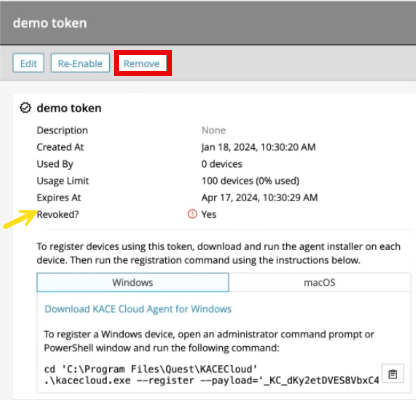
- Click the Remove button.
- Click Confirm. The token is removed from the token list.